Calls and analytics
See what happens on the phone
How many calls came in, how they ended, and what the assistant could not answer.
7 days free · No card · Setup is free7 days free · No card required
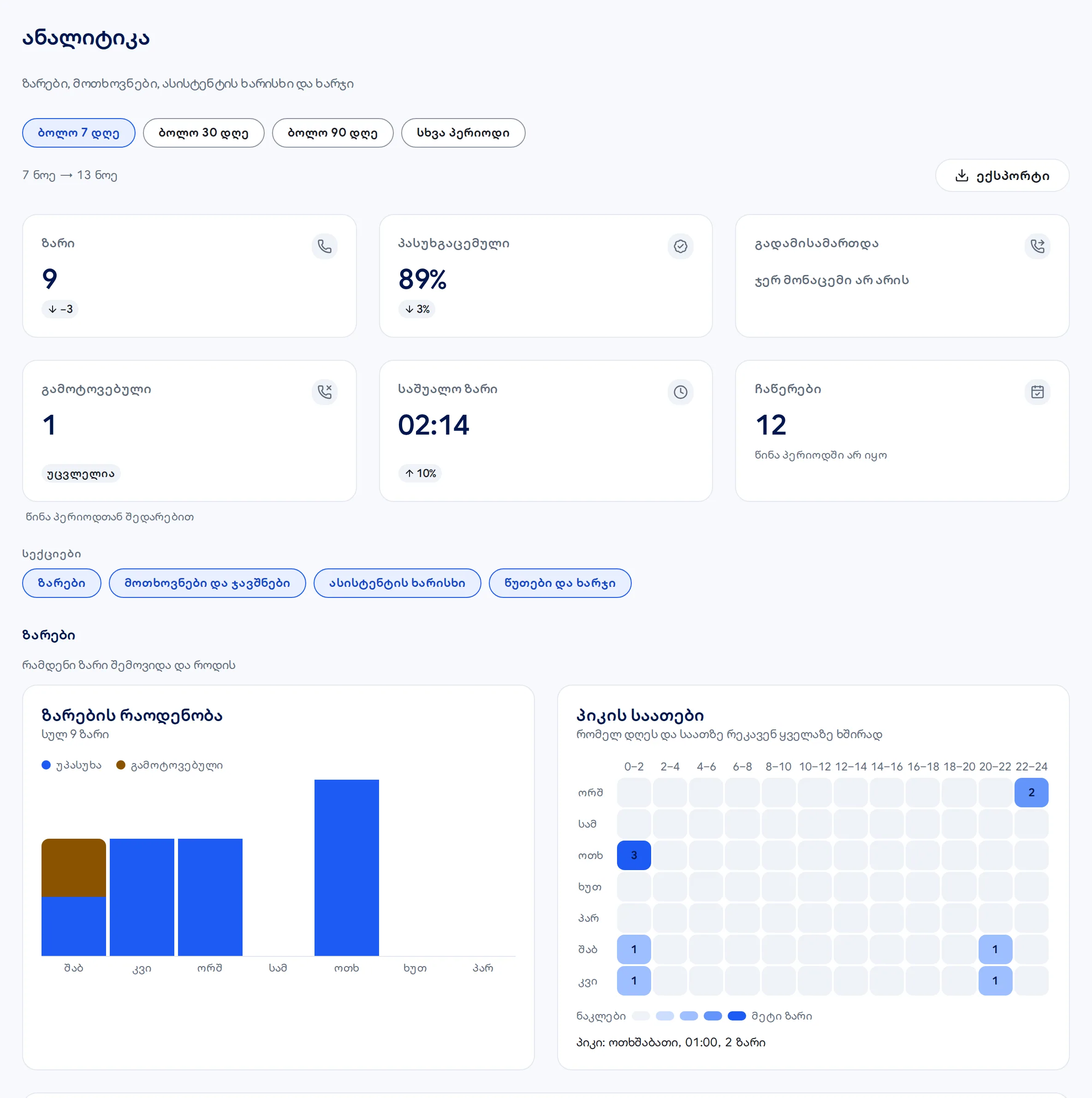
You do not know how many calls came in this week and how many went unanswered.
Calls by outcome
One screen shows how calls end.
- Every call has an outcome: a booking, a request or an answer to a question.
- A call you open from the history: text and summary on one page.
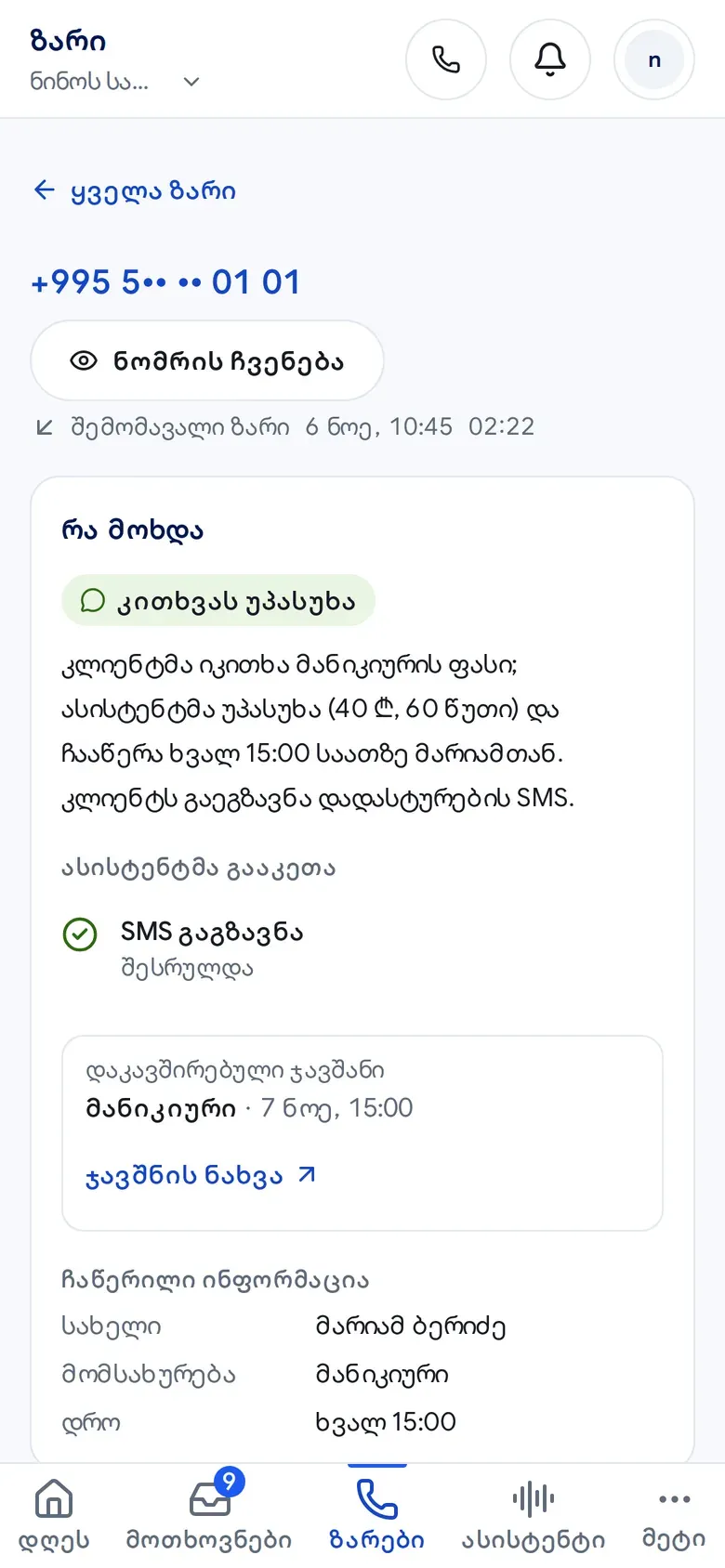
- Calls by outcome
Recording only if you turn it on
The transcript and summary of every call are stored. Audio recording is off by default.
- The client is warned at the start of the call that it is recorded.
- The retention period (30 or 90 days) is your choice.
- Recording: your choice
Days and hours
A map of days and hours shows when people call most often.
- The previous period you compare: 7, 30 or 90 days. You can download the table as CSV.
- The same numbers you also see in the mobile app.
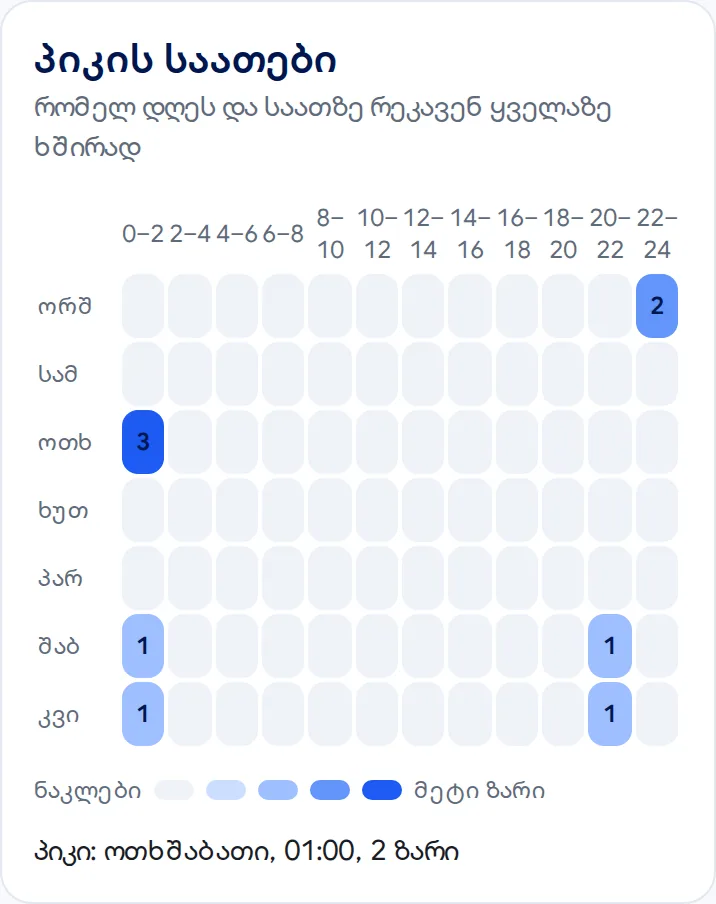
- Peak hours
What the knowledge is missing
Questions the assistant did not know the answer to are collected in one list.
- You write the answer and approve it. After publishing, the assistant uses it.
- In the first week we suggest going through the whole list.
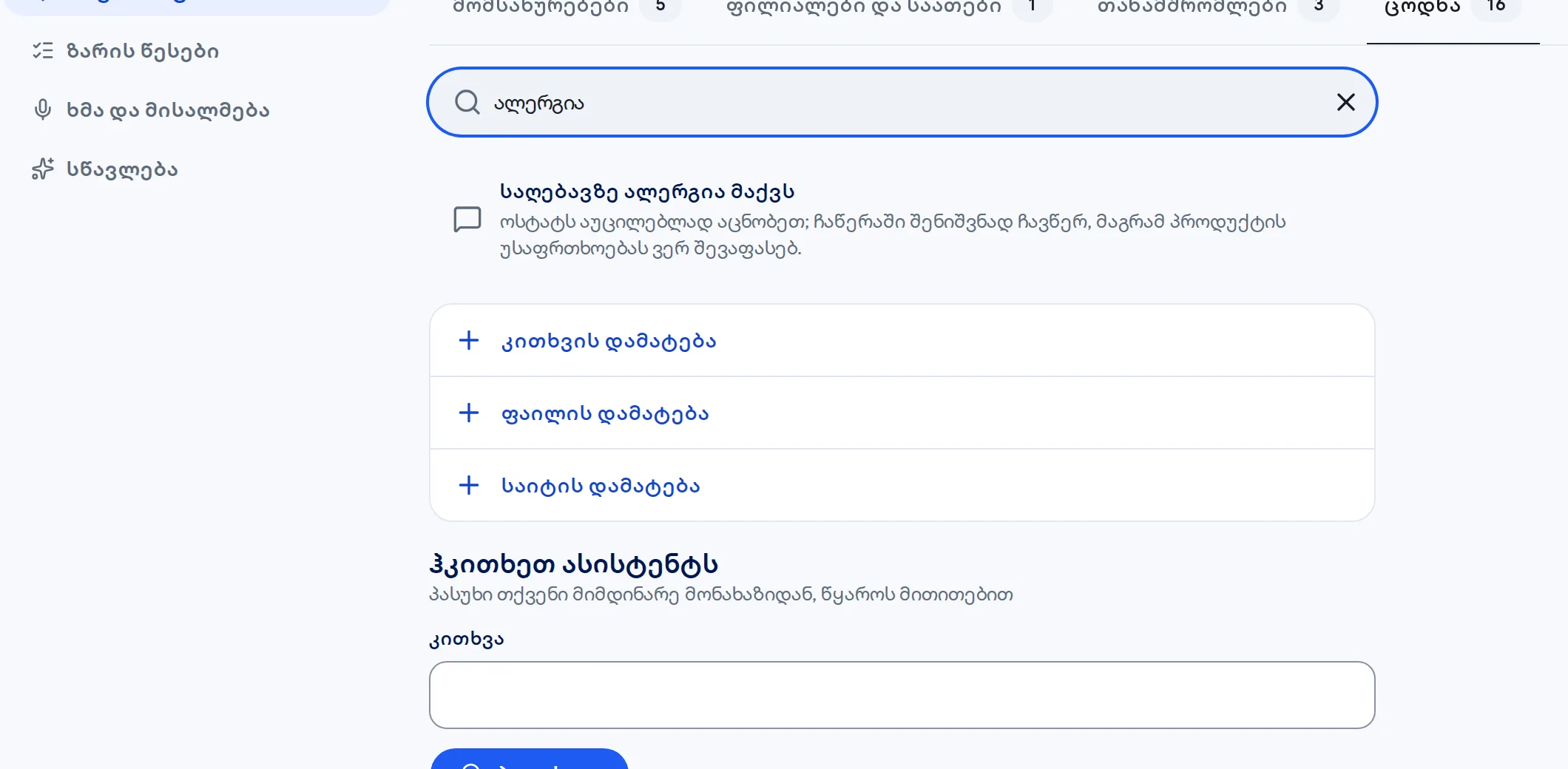
- Unanswered questions list
Minutes and cost
You see how many minutes of your plan you used and where the limit stands.
- What counts as a minute is written on the pricing page.
- Extra usage is off. You set the limit.
- At 80% and when the minutes run out you get a notification.
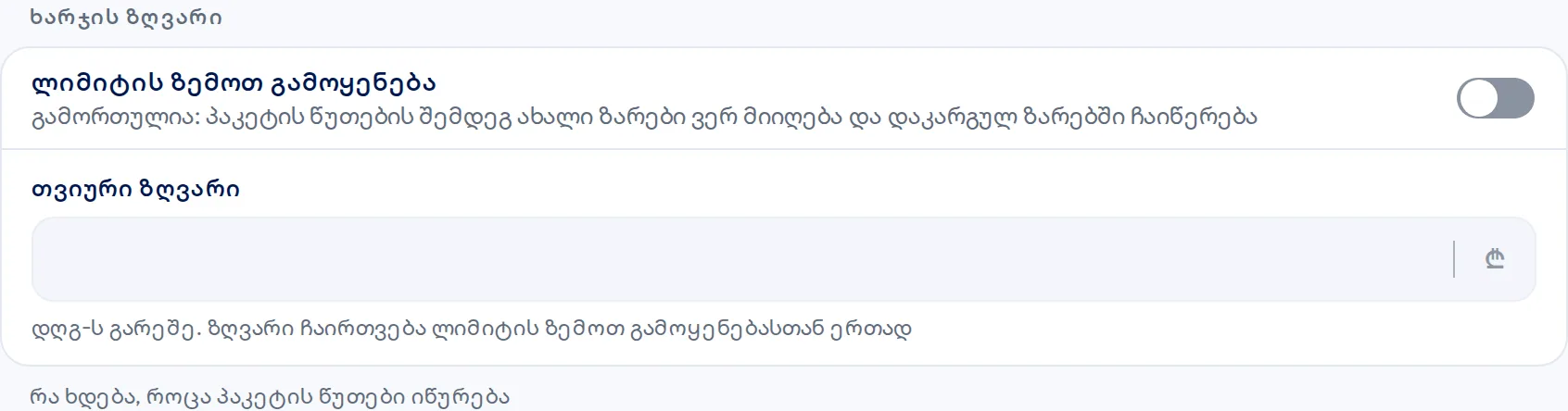
- Minutes from the plan
Notifications
Call summaries and the weekly report in Telegram.
- In Telegram you get a notification about a new booking and booking request.
- A booking request you confirm right from Telegram.
- The weekly report arrives on Mondays, about last week's calls.
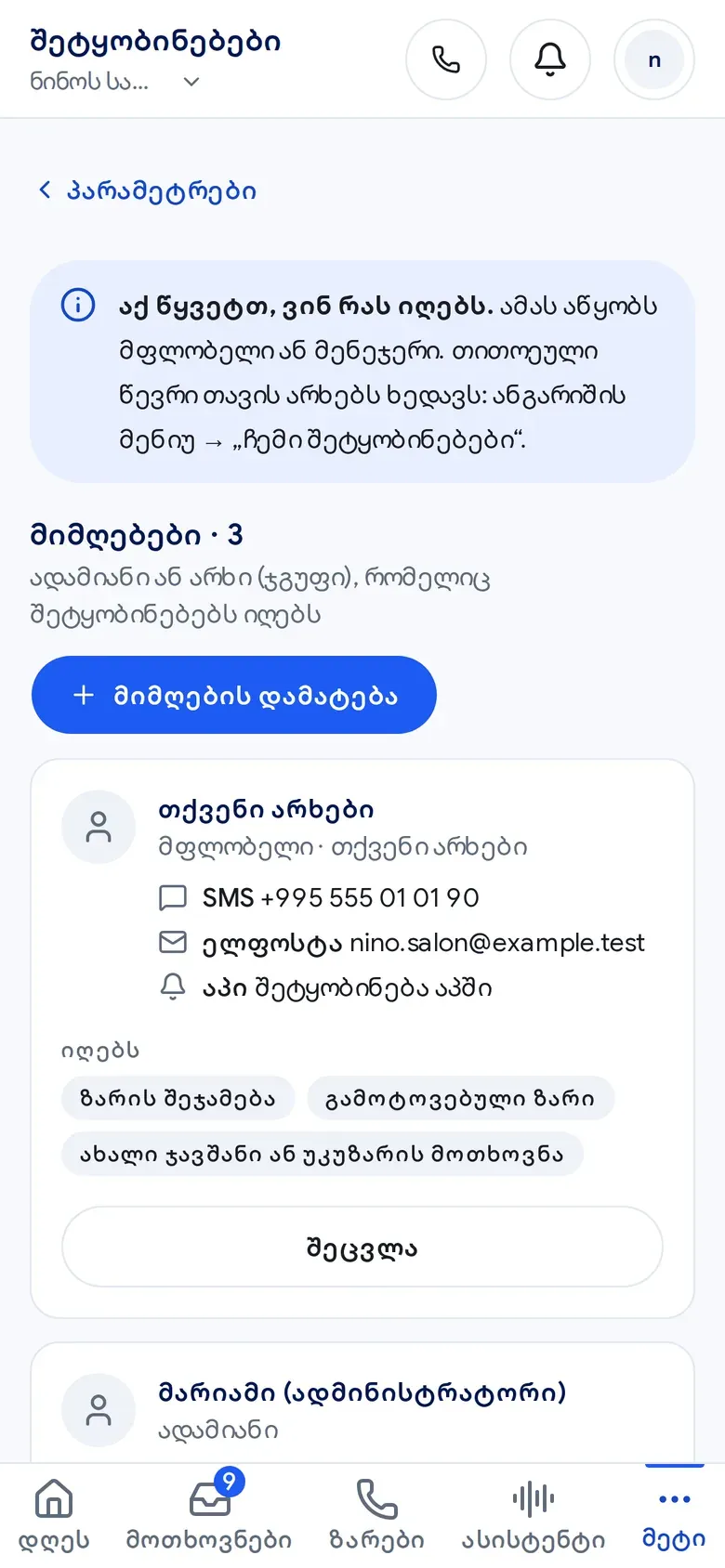
- Telegram
- Weekly report
How it compares
Voicemail gives you no statistics. Here the analytics are automatic.
What it does not do
It does not calculate revenue and profit: they are unknown to us.
We do not invent forecasts.
We do not keep audio recordings without you turning them on.
Common questions
Who has access to analytics?
Only those you gave the right permission.
What exactly counts as a minute?
The assistant's conversation time, in 6-second blocks. Ringing and missed calls do not count.
Can I see a specific call?
Yes. You open the text and summary from the history. You can listen to the recording if it is on.
Are calls recorded?
Audio recording is off: you turn it on and choose the period, 30 or 90 days. The client is told at the start of the call. Text and summary are stored even without a recording.
Will I get the report in Telegram?
Yes. The weekly report arrives in Telegram every Monday, if you have Telegram connected.
Will I see it in the app too?
Yes, calls, bookings and analytics will be in the app too. The app for the App Store and Google Play is in the works.
Try 7 days free
No card needed. 7 days or 60 minutes, whichever runs out first. The count starts from the first real call.
7 days free · No card · Setup is free7 days free · No card required