Mobile appSoon
The assistant answers, you manage it from your phone
Calls, bookings and information in your pocket. The app for the App Store and Google Play is in the works.
7 days free · No card · Setup is free7 days free · No card required
Today
Working
The assistant is taking calls
1 booking is waiting for confirmation
Confirmed
Confirm the visit: Mariam?
The visit will count as confirmed
ConfirmDeclineCalls come in at night, and in the morning you need to know who called and what is left to do.
One screen in the morning
On the Today screen you see who called overnight and what is left to do.
- Status: whether the assistant is working, at a glance.
- Needs attention: bookings to confirm, callback requests, missed calls.
- Last 7 days: calls, requests, bookings and minutes compared with the 7 days before.
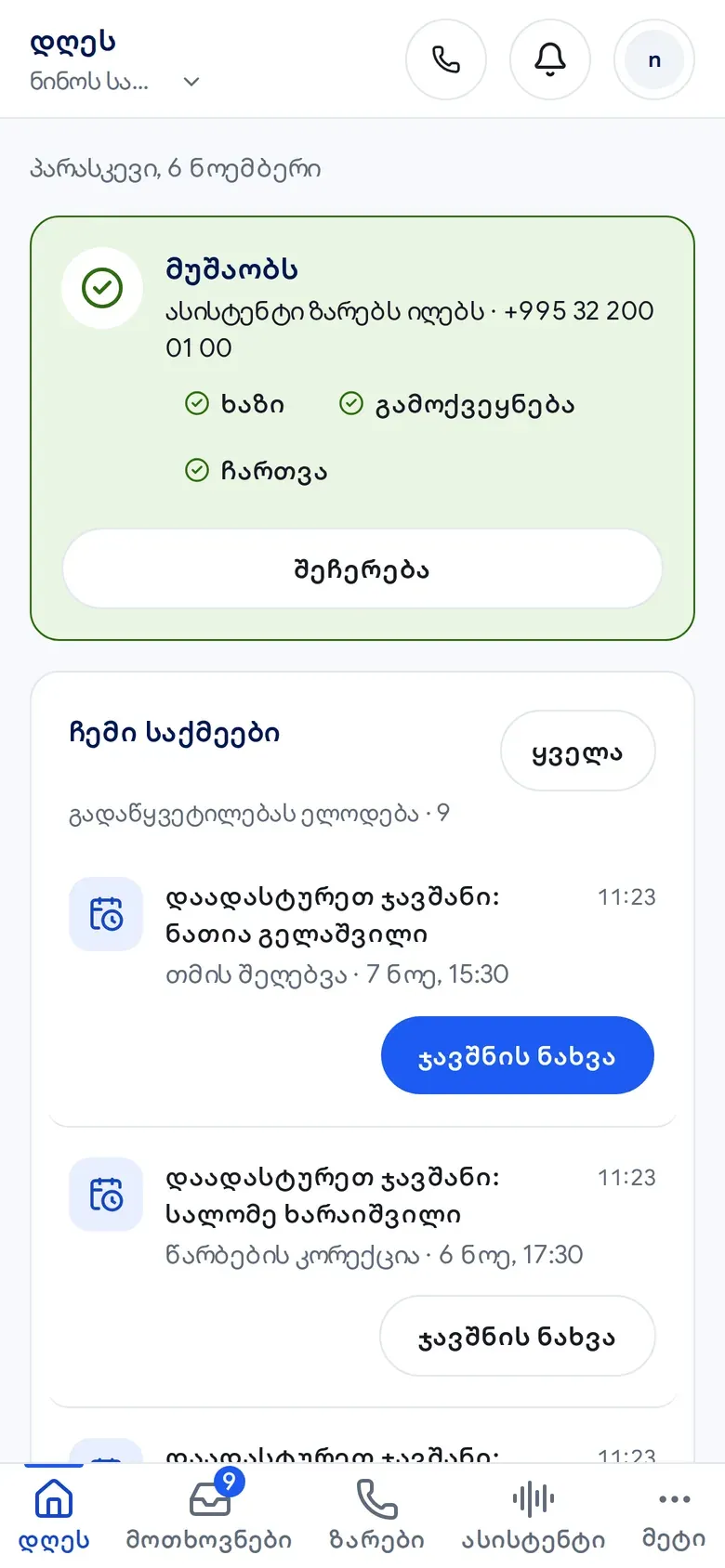
- Today
A call: text and outcome
You have the text, summary and outcome of every call on your phone.
- Calls you search by number or topic. Missed calls show separately.
- The call page shows what the assistant did: a booking, a request or an answer.
- Recording is off. If on, you listen on your phone.
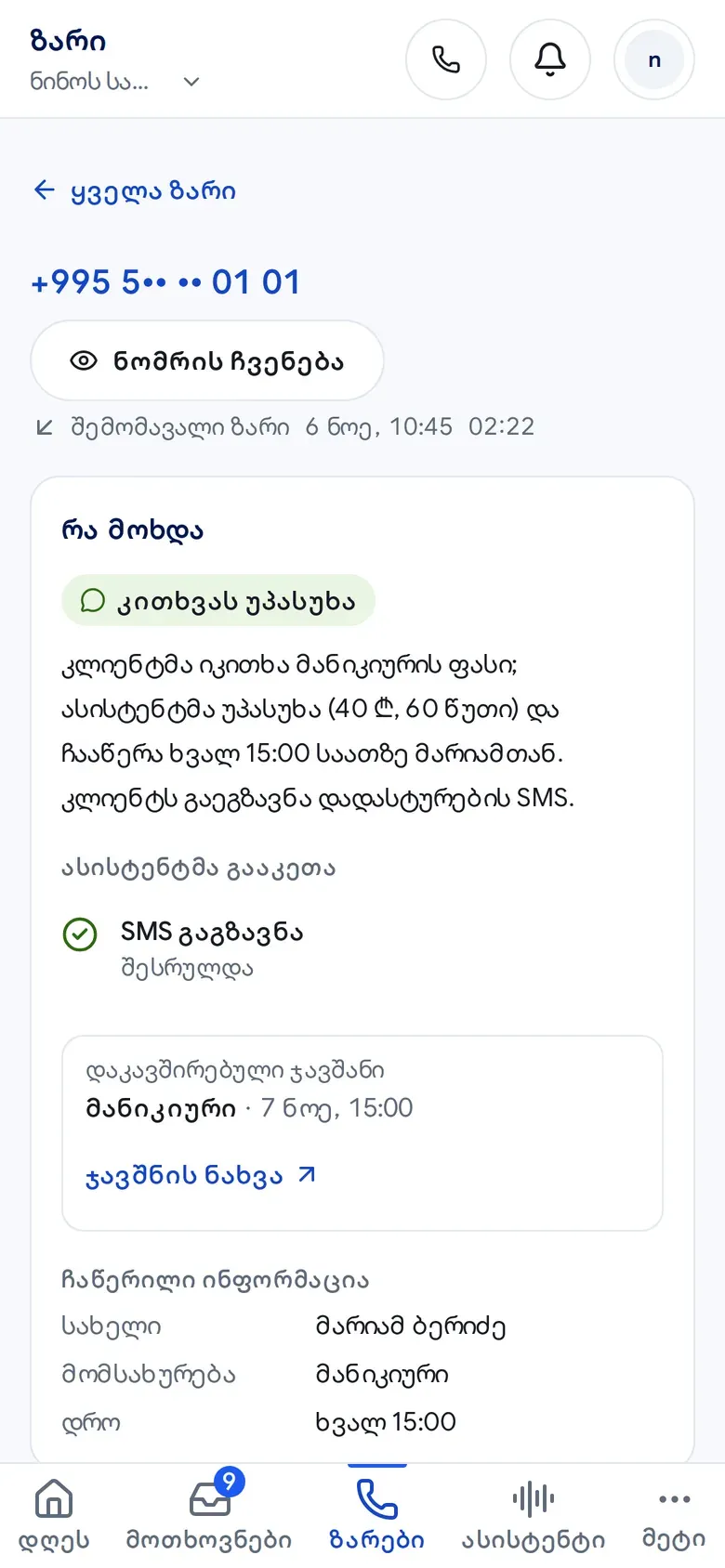
- Call text
Confirm with one tap
You confirm or decline a booking request. A confirmed booking shows in the calendar.
- In the calendar you see free time and can also add a booking yourself.
- Cancelling and moving you or your team do. The assistant does not cancel or move a booking, it takes a request.
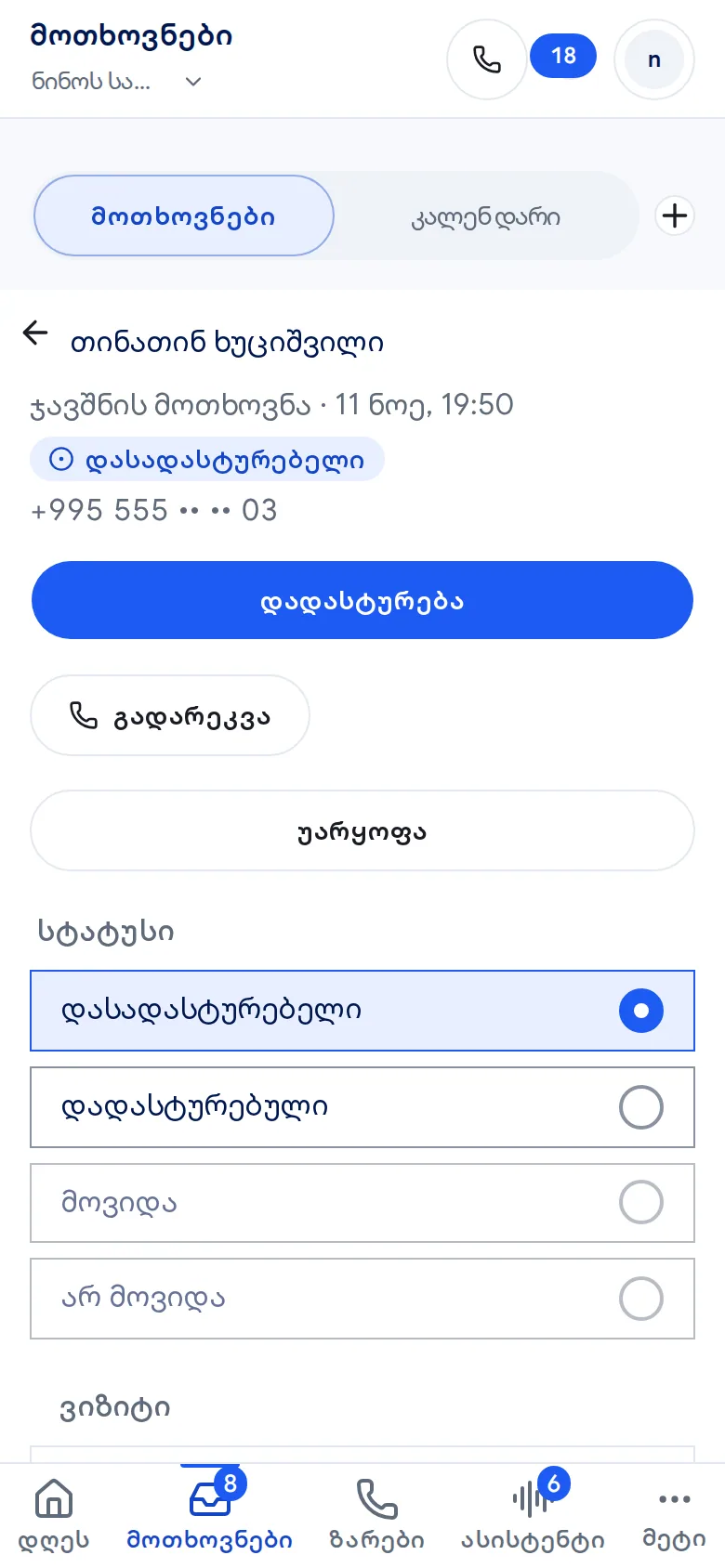
- Booking confirmed
Fix the price in the app
You change the price and duration from your phone and publish. On new calls the assistant says the new price.
- Price, duration and working hours are edited on the “Services and prices” page.
- A change is “unpublished” until published and does not affect calls.
- When you publish, the changes are checked with a trial call, in about a minute.
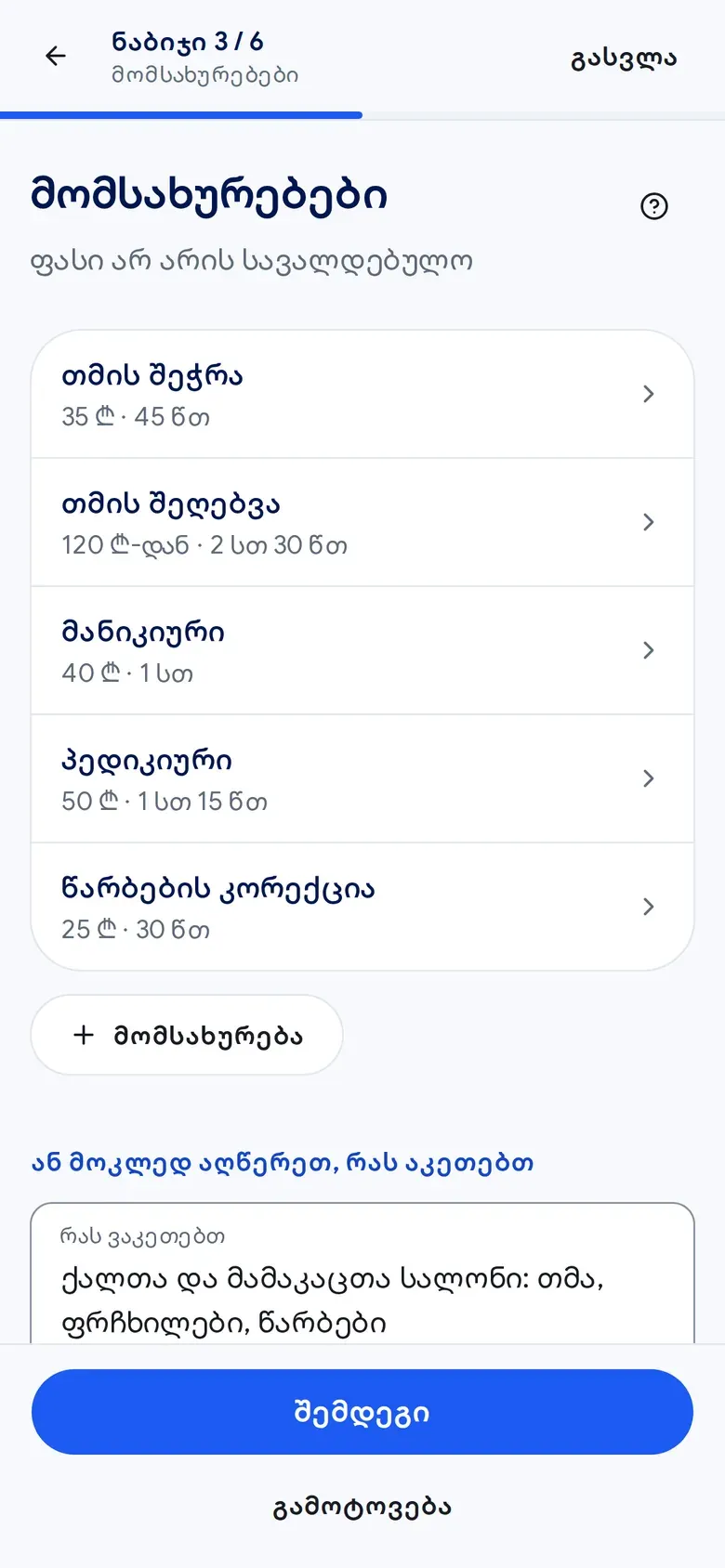
- Publish
Web workspace and app together
Both show the same information: what you change in one shows in the other.
- One account: the same bookings, calls and information.
- Sign-up happens on the website. Then you manage from both.
- Connecting your number and the calendar happen in the web workspace. The app shows the line's status.
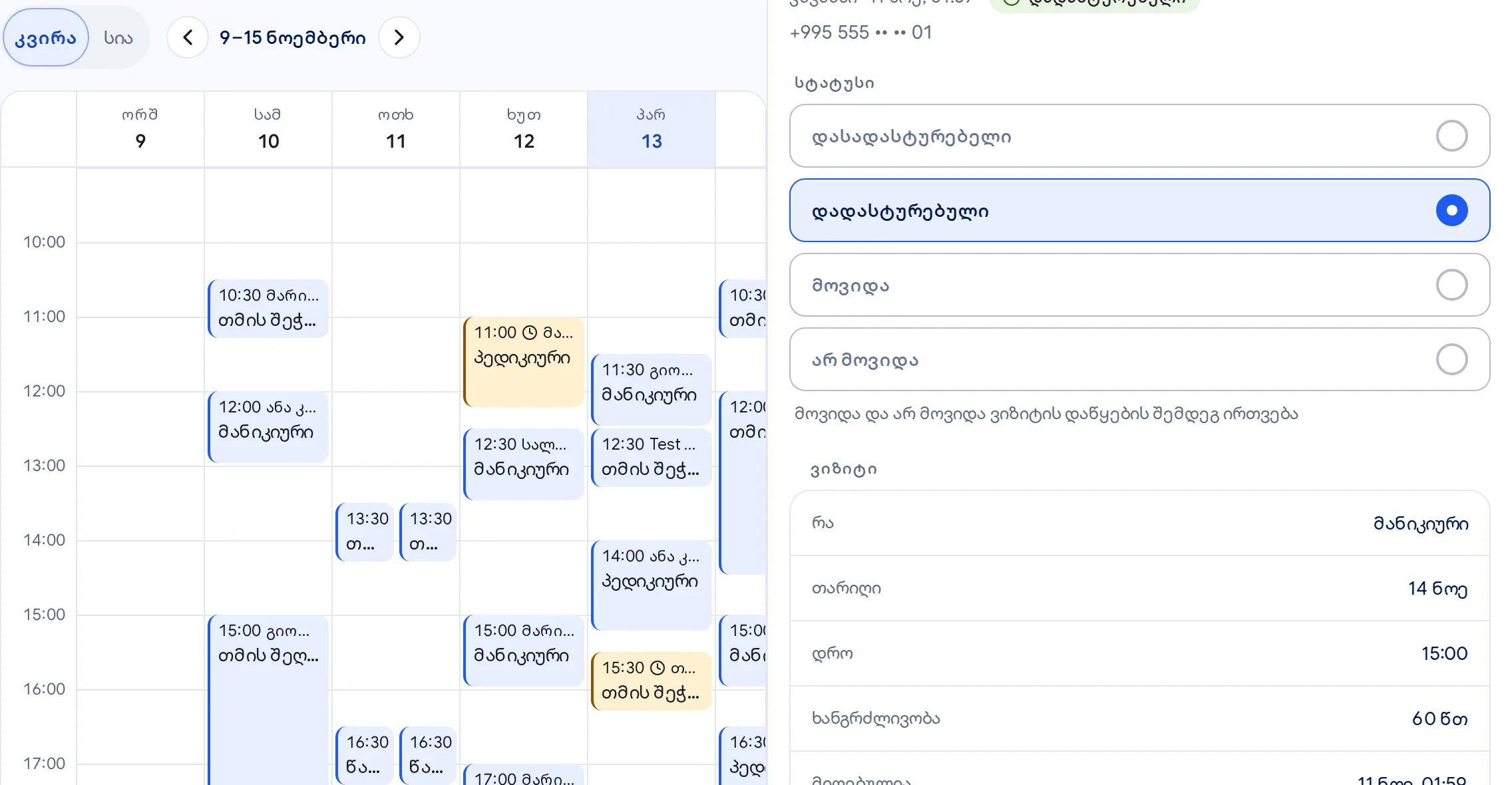
- Workspace + app
Notifications
A new booking, missed call or callback request shows in the app and also arrives in Telegram.
- In the app you see notifications under the bell icon.
- In Telegram the same notification arrives, and you confirm the booking from there too.
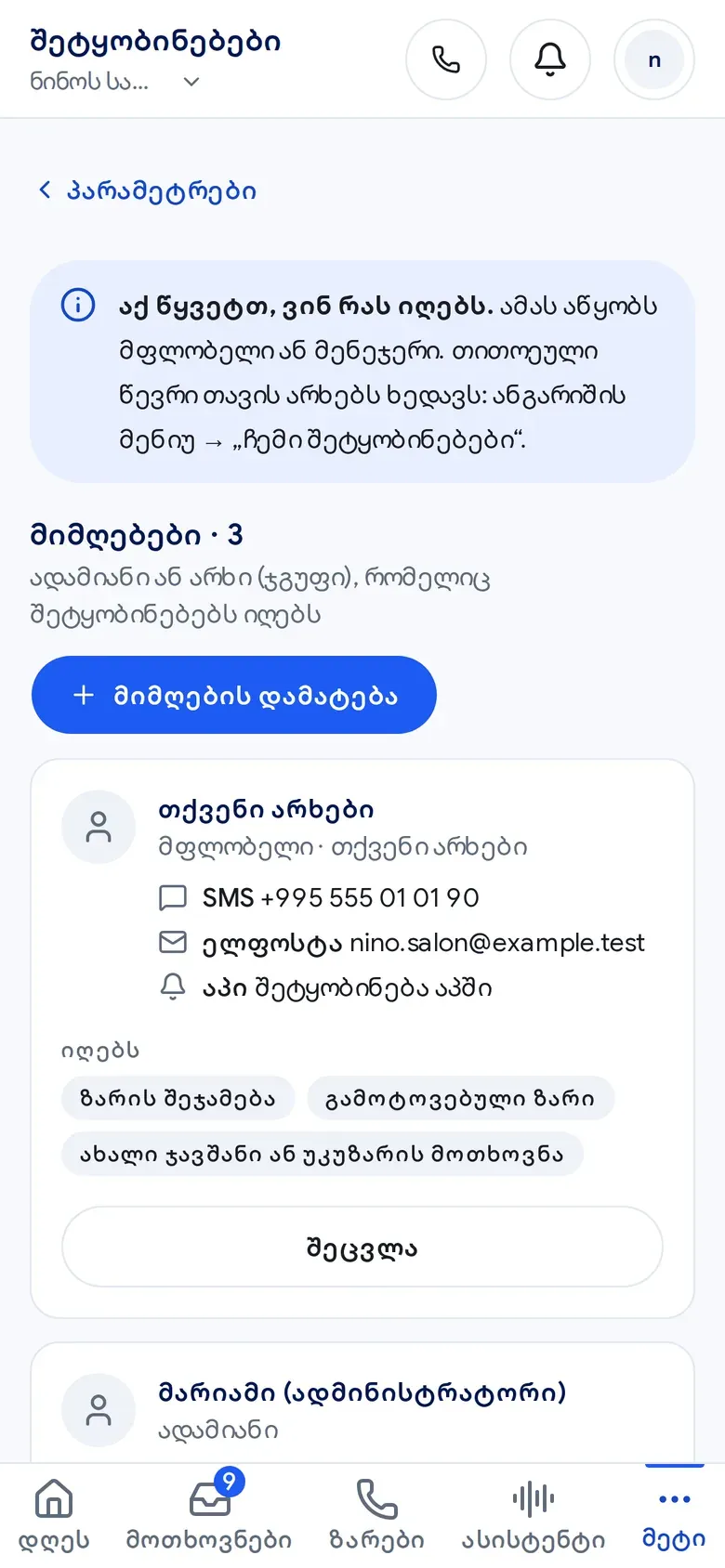
- Telegram
Team and roles
You invite a team member by phone number or email, and each sees only what they need.
- An invitation is a one-time link that expires.
- Roles: owner, manager and member with view-only access.
- A specialist's own day is coming soon: a specialist sees only their bookings and schedule.
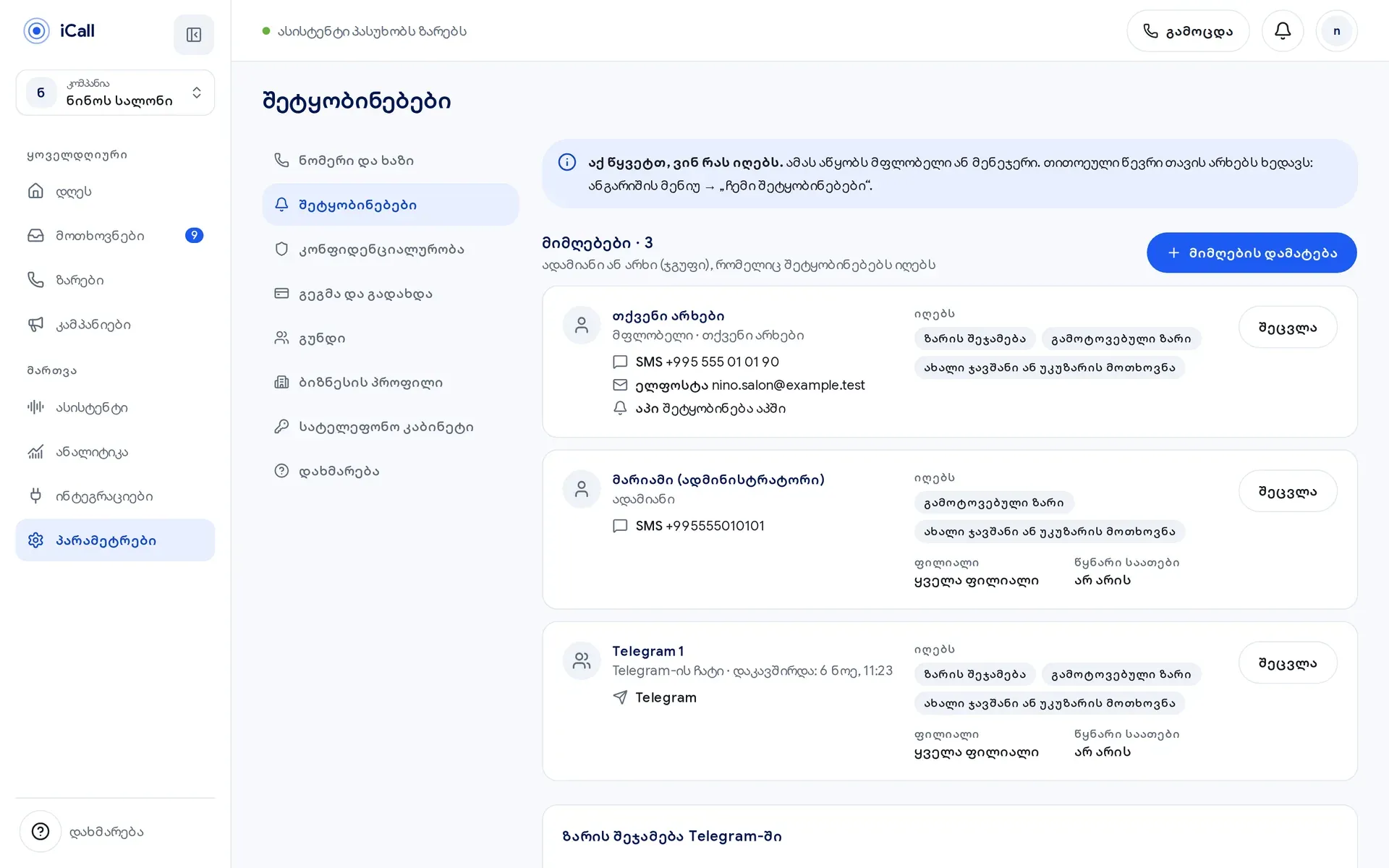
- Team
Where to download
Until then you do everything in the web workspace, also from your phone's browser.
App Store · Google PlaySoon
The app is in every plan, at no extra charge.
Sign up on the site: 7 days free, no card.
What it does not do
The app is not in the stores yet.
You cannot sign up or connect a number in the app: that is in the web workspace.
The first Google Calendar and Outlook link is started in the web workspace.
Common questions
Is there a mobile app?
Not yet. The app for the App Store and Google Play is in the works. Until then you do everything in the web workspace.
Will it work on iPhone and Android?
Yes, on both.
Can specialists use it too?
You invite a team member by phone or email and give them a role. A specialist's own day view is not available yet.
Does the app cost extra?
No. The app is in every plan, at no extra charge.
Can I sign up in the app?
No. Sign-up happens on the website. Then you use the same account in both.
Will I get notifications on my phone?
It will be in the app too. It already arrives in Telegram. A phone-screen notification is not available yet.
Try 7 days free
No card needed. 7 days or 60 minutes, whichever runs out first. The count starts from the first real call.
7 days free · No card · Setup is free7 days free · No card required