Call answering
An AI assistant answers the call
At two in the morning, on a day off, or while you are with a client, the assistant will answer.
7 days free · No card · Setup is free7 days free · No card required
Friday, 19:40. Nino is with a client and the phone rings three times. On the third, the client calls another salon.
Always on the line
The assistant answers on the first ring, in your business name. You choose the hours.
- One button turn it off or set the hours.
- We help you set up You can try it in the web workspace even without a number.
- Many calls at once? The assistant answers as many calls at once as there are channels in your package.
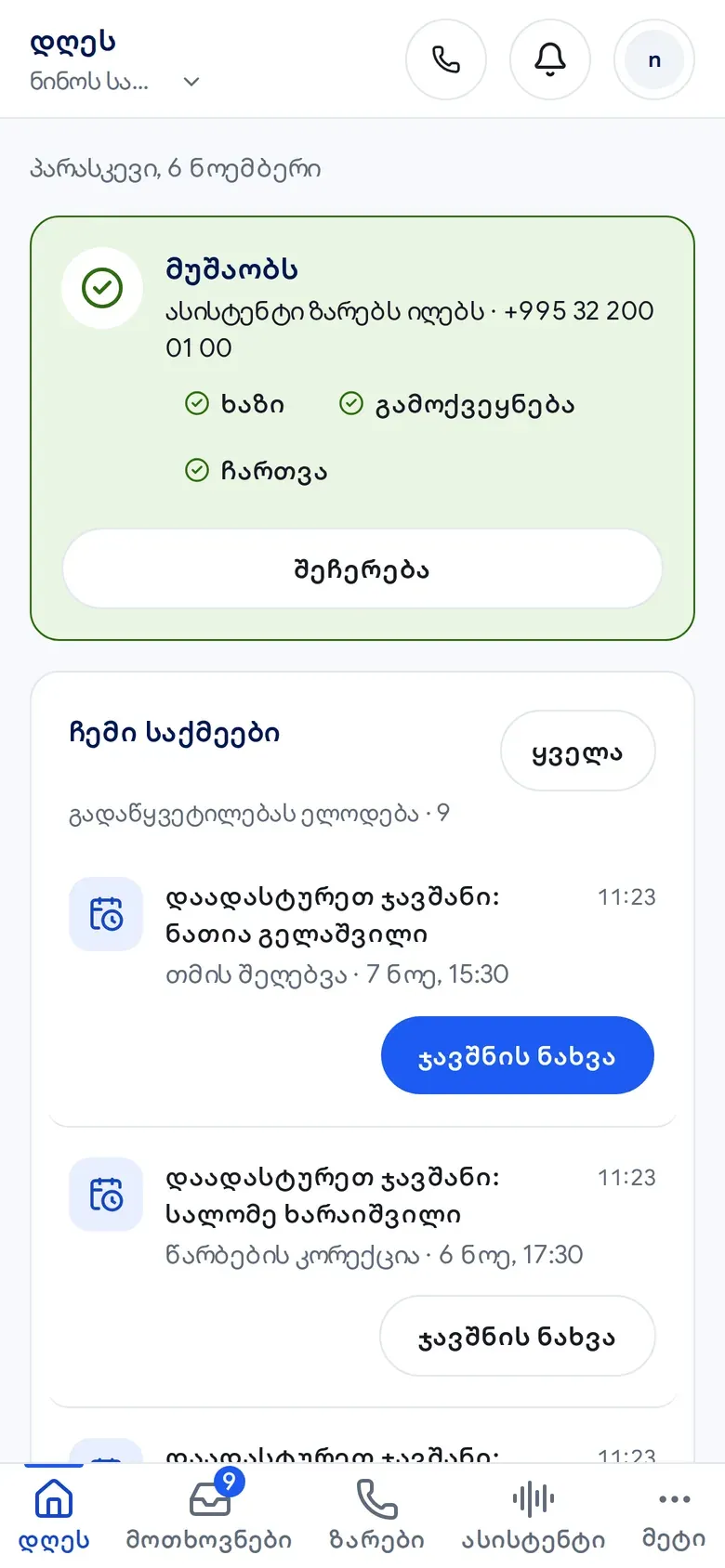
- On the first ring
- Assistant“Hello, Nino’s salon, how can I help? I am a digital assistant.”
It understands what the caller needs
Callers speak naturally. The assistant asks only for what is missing: service, time, specialist.
- Asks for a person? it leaves you a callback request.
- It introduces itself On every call it says it is a digital assistant. You choose the voice.
- Which language? Georgian for now.
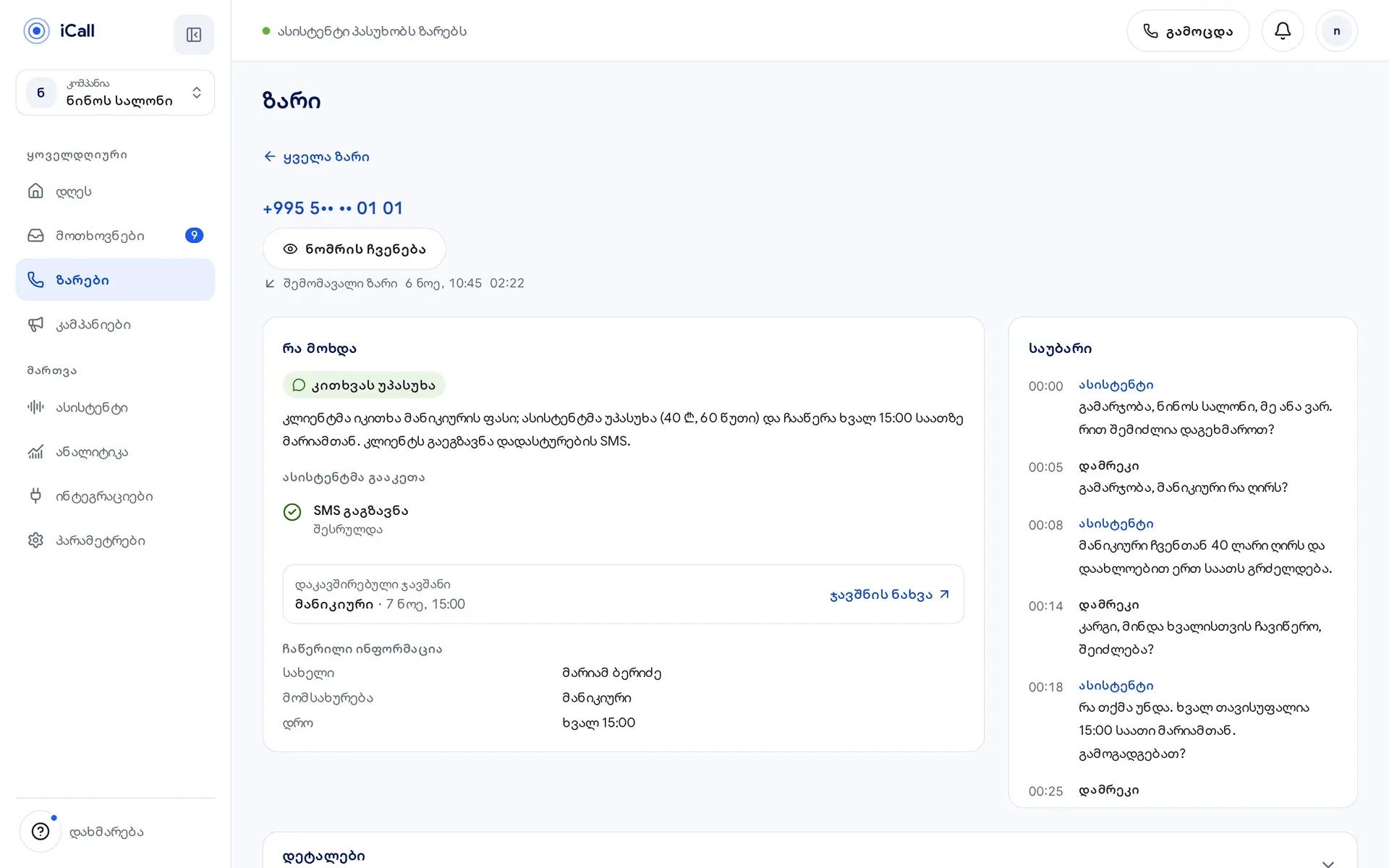
- Call transcript
- Service, time, staff member
It answers from your knowledge
It states the price, time and address according to what you taught it. What it does not know, it says directly.
- You teach it: you add questions, answers and text in the web workspace.
- Medical, legal or financial advice? It does not give such advice.
- “I cannot tell you that exactly” and offers to take a message: your team calls back.
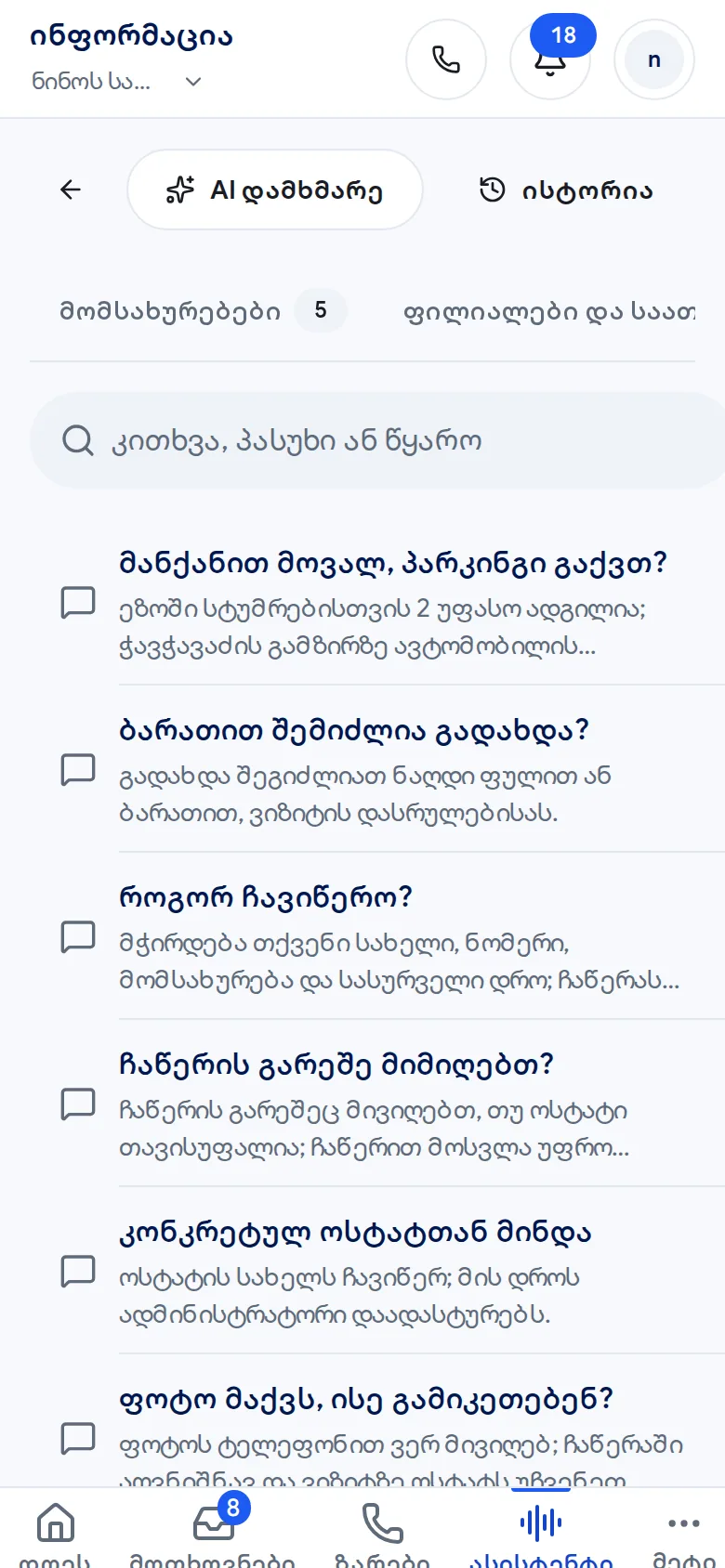
- Answer from your knowledge
- “I can’t tell you that exactly”
Every call has an outcome
Every call appears in the history with its outcome and text: a booking, a booking or callback request, a message.
- A booking goes into the calendar is written at once or waits for confirmation.
- A message becomes a request is saved when the client wants a person: your team calls back.
- Handoff to a person After it is on, AI minutes stop counting.Soon
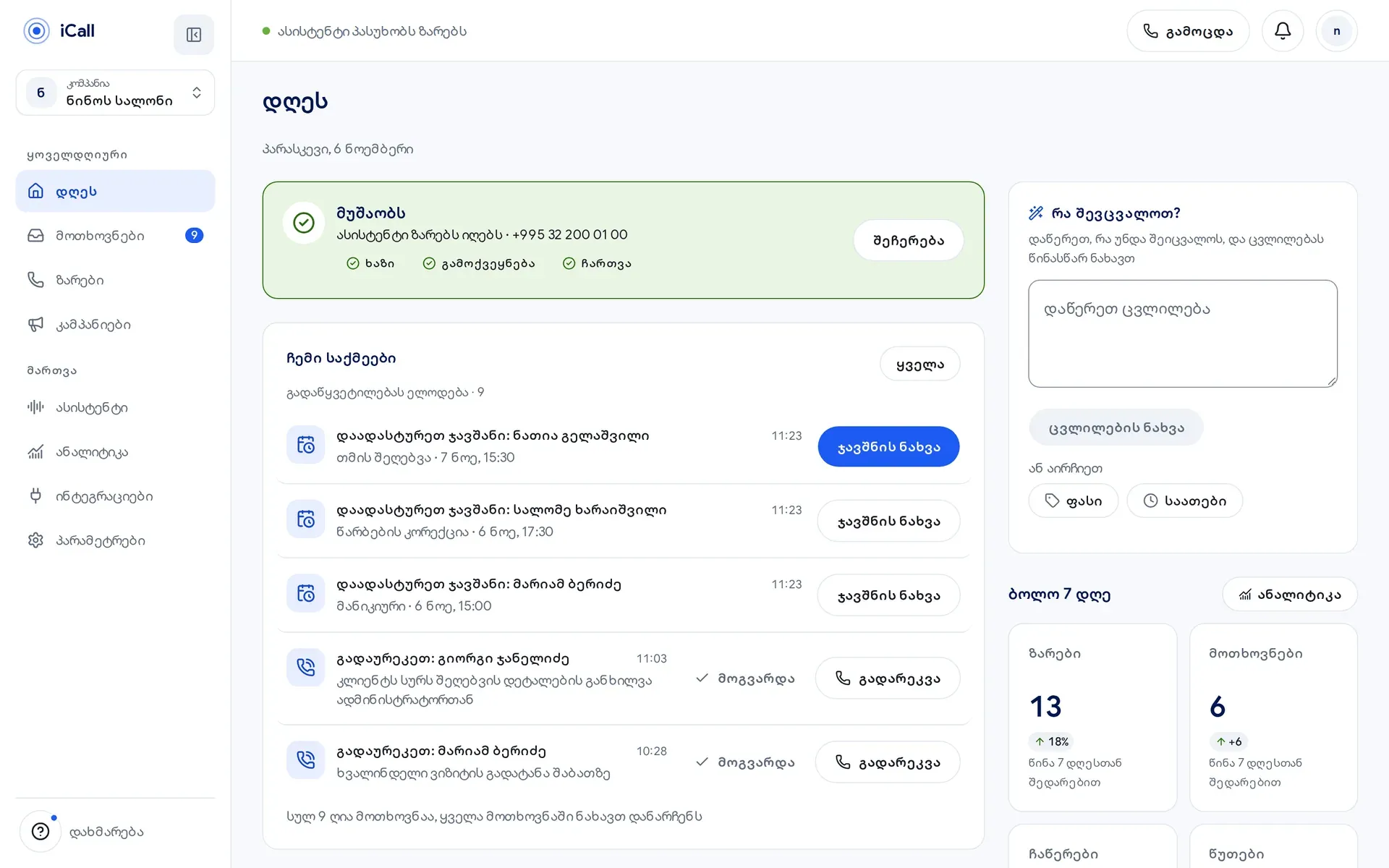
- Booked in the calendar
- New request
- Callback request
You see everything
The summary and text of every call are in the history. You get a Telegram notice about a new booking.
- Open any call open it from the history.
- In Telegram a notice about a new booking or request, with a link.
- Recording is your choice is off. If you turn it on, the client is told, and the period is 30 or 90 days.
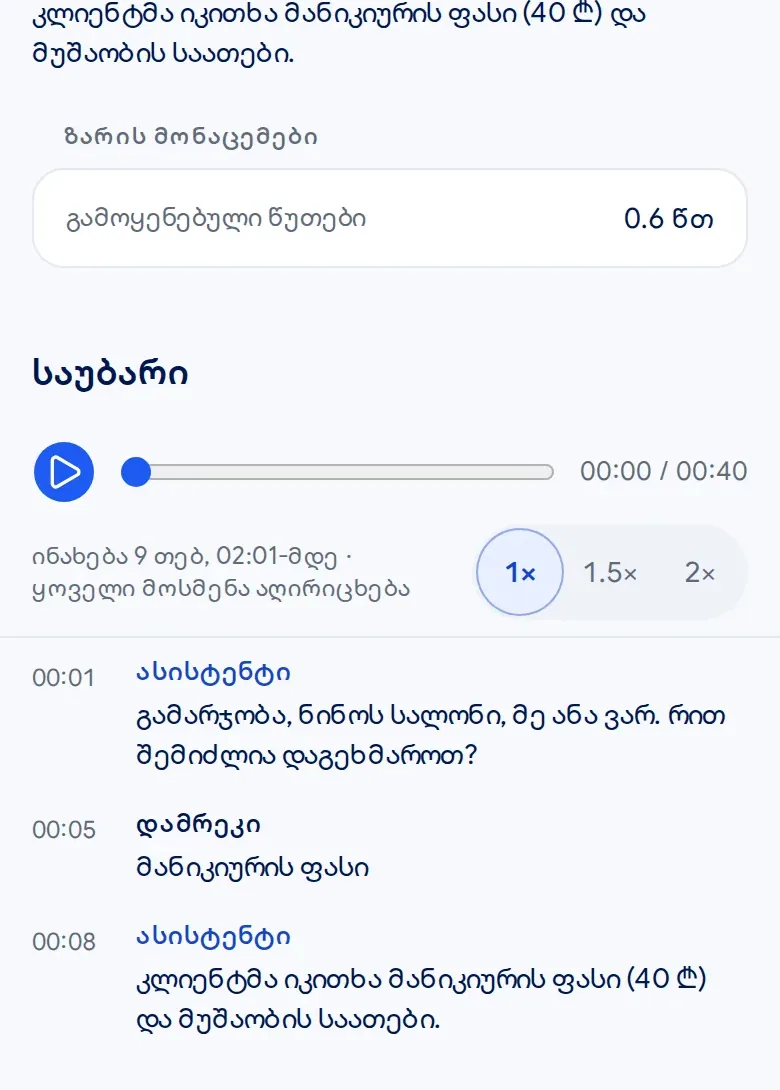
- Call summary
- Telegram
How it compares
| iCall | Voicemail | Receptionist | Missed call | |
|---|---|---|---|---|
| Answers at night and on days off | Yes | Yes, but no answer | Working hours only | No |
| Answers questions about prices and hours | Yes, from your information | No | Yes | No |
| Writes the booking | Yes, or a booking request | No | Yes, by hand | No |
| Simultaneous calls | 2, 3 or 5 (by package) | One | One | None |
| What the client does | Finishes the booking | Calls somewhere else | Waits | Calls somewhere else |
Voicemail saves a message but cannot answer a question. The client calls somewhere else.
What it does not do
It answers as many calls at once as there are channels in your package (2, 3 or 5). An extra channel costs 50 GEL a month. Price incl. VAT.
It does not record on its own: recording is off by default.
It speaks Georgian for now.
Common questions
How soon can I use it?
You do not need a number to try it, you test the assistant in the web workspace. Calls start after you connect a number.
Does the caller know they are talking to an assistant?
Yes. On every call it says it is a digital assistant. This is required and cannot be turned off.
What if many calls come in at once?
It answers as many as there are channels in your package. An extra channel costs 50 GEL a month. Price incl. VAT.
What happens if a caller gets angry?
It stays calm and, if the client wants a person, leaves you a callback request. You see the call text and call back.
Can I turn it off?
Yes, with one button or with hours set in advance.
Try 7 days free
No card needed. 7 days or 60 minutes, whichever runs out first. The count starts from the first real call.
7 days free · No card · Setup is free7 days free · No card required